 FlowTime
If you can design your focus time and break time based on your own signs, you’ll produce results more reliably than with fixed rules like 25 or 90 minutes. That’s why it’s vital to observe the signs that your concentration is starting to break.
If you’ve been trying to set a focus timer and divide work by time but feel friction or frustration, that’s a sign that your attention doesn’t fit the one‑size‑fits‑all rule of “cutting by time.”
Peak productivity doesn’t come from obeying the clock. It comes from reading your own “signs” (fatigue, boredom, early error cues) and assembling “focus” and “breaks” at the right moments.
This article explains three pillars for doing exactly that:
- How to find your optimal “focus time”
- Science‑based recovery with “smart breaks” (microbreaks)
- Creative rest (incubation) that generates new ideas
Let’s stop being pushed around by the clock. Here you’ll find a durable “decision template” for designing your personal productivity cycle.
By “template” here, we mean an operating manual built from signals coming from your body, head, and actions. When you’re riding a wave of focus, you exploit that flow; when early clouds appear, you tune up lightly; when you hit a red light, you stop once.
When you return to work, you re‑declare your “next step,” release excess tension with breathing, and carve a path back to focus with two minutes of light work. Once you can run this loop, you won’t be swayed by day‑to‑day fluctuations in focus.
Where This Page Fits
First, use this page to grasp the decision template roughly. If you want more detail on any pillar, jump to the dedicated article. Each is self‑contained, so skimming only what you need is fine.
We break “focus design” into three parts—work time, pause, and return—and bridge you quickly to hands‑on guides for each.
If you want to strengthen fatigue control, read the microbreak piece. If you want to turn focus and breaks into creative time to get new insights, read incubation. If you want to revisit the length of your work blocks in the first place, jump to the chapter on block length. Start anywhere, but following the decision order makes comprehension less wobbly.
Among existing articles, we’ve introduced techniques for focusing around the Flowtime Technique. Please refer to these as well:
- When to stop: Stop Signs for the Flowtime Technique
- How to come back: Restart Cues for the Flowtime Technique
- When to begin: Task Selection (Uncertainty × Length × Importance)
- The whole picture: The Mental Model of Flowtime
What You’ll Learn in This Article
- Focus‑state signs: body & environment / quality of cognition / drift from purpose
- Implementation procedures for block length, pause, and return
- Switch patterns for moments prone to hesitation or interruption
What you’ll learn isn’t a grab bag of tricks. It’s a way to observe yourself in the same order in any situation, make a decision, and flow into action that improves and sustains productivity. Even if your mood or task type differs today, if the signs you watch and the method you use are aligned, you won’t have to re‑hesitate from zero each time.
Quick Reference of Key Points
| Theme | Points | What you can do now |
|---|---|---|
| Mental model | External rules < Your own decision procedure | For each session, record state / decision / action in one line |
| Three‑layer signs | Changes progress body & environment → quality of cognition → drift from purpose | Turn the one‑sentence check into a trigger |
| Block length (work time) | Rule of thumb = ratio (allocate 20–25% to breaks) × observing the natural breakpoints | Before you start, write the “very first step” in one sentence |
| Pause (microbreaks) | Decision criteria = three‑layer signs + can’t state next step + repeated errors | Before pausing, leave a return memo → step away for 90 seconds–5 minutes |
| Return (incubation) | Standard procedure = re‑entry protocol | Keep a re‑entry kit on hand / make it visible |
This table links “what to look at → how to decide → what to do next” at a glance. When in doubt, read from the left theme, decide using the middle perspective, and execute only the rightmost first step—your next decision will fall into place naturally. You can polish the details later; what you need first is a small signal that stops the hesitation.
Who This Is For & Assumptions
- Who: knowledge workers, engineers, researchers, designers, students, test/certification learners, verification and audit roles, etc.
- Assumptions: no special prep required. A simple log (one‑line memo) makes it more effective.
Experience and tools don’t matter. What matters most is leaving a brief note at the start and end of a session. Even a single line helps you resume next time and makes you less likely to miss the moment you should rest. Fancy apps and complex metrics can be added once the foundation is in place.
The Full Focus Loop That Raises Productivity: Work → Pause → Return
- Work — Priorities: ratio (20–25% for breaks) × observe natural breakpoints → define the “very first step” in one sentence
Details: Is a “break every 90 minutes” really effective? - Pause (microbreak) — Signs: body & environment / quality of cognition / drift from purpose → decide with a one‑sentence check
Details: Designing and Differentiating Microbreaks - Return (incubation) — Restore creativity and focus with the re‑entry protocol
Details: Incubation Effect Practical Guide
When in doubt, follow three‑layer signs → one‑sentence check → re‑entry protocol to measure small, move small.
This cycle has the same skeleton as Flowtime’s “start → stop → return.” The difference is that you cut at your natural breakpoints by observing your focus level, not by obeying a fixed time.
For the first work block, being clearly aware of the purpose and the very first step is enough. Decide whether to continue or rest based on small fatigue signs like “re‑reading the same passage” or “eyes drifting off the screen.” If they appear, take a break.
When returning to the task, it’s effective to define “what to do next” in a single sentence before moving your hands. That sentence becomes a bridge that lets you merge smoothly back into the work.
Once the shape is set, you don’t need to change the operation even on busy, interruption‑heavy days.
Catching Changes in Your State Signs
- Body & environment (Layer 1): posture fixed, gaze drifting, yawning, dry eyes, room temperature/noise
- Quality of cognition (Layer 2): re‑reading the same line, decision latency, repeated typing errors, tunnel vision
- Drift from purpose (Layer 3): going off track (SNS / aimless search), losing the purpose sentence, task drift
These three layers cascade with time. The basics: tune up in the early layer / take a short pause in the middle layer / if you reach the end layer, rest without hesitation.
Small bodily discomforts foreshadow the decision slowness and derailments to come.
If you reset posture, gaze, and breathing at this point, you’ll reliably reduce the frequency of dropping into the red. When these signs become conspicuous, it’s prudent to reset your head with a break.
Step 1: Designing Your Work Time
-
Standards: break ratio (allocate 20–25% of work time) × observe natural breakpoints
-
Before you start:
- Write your purpose in one sentence.
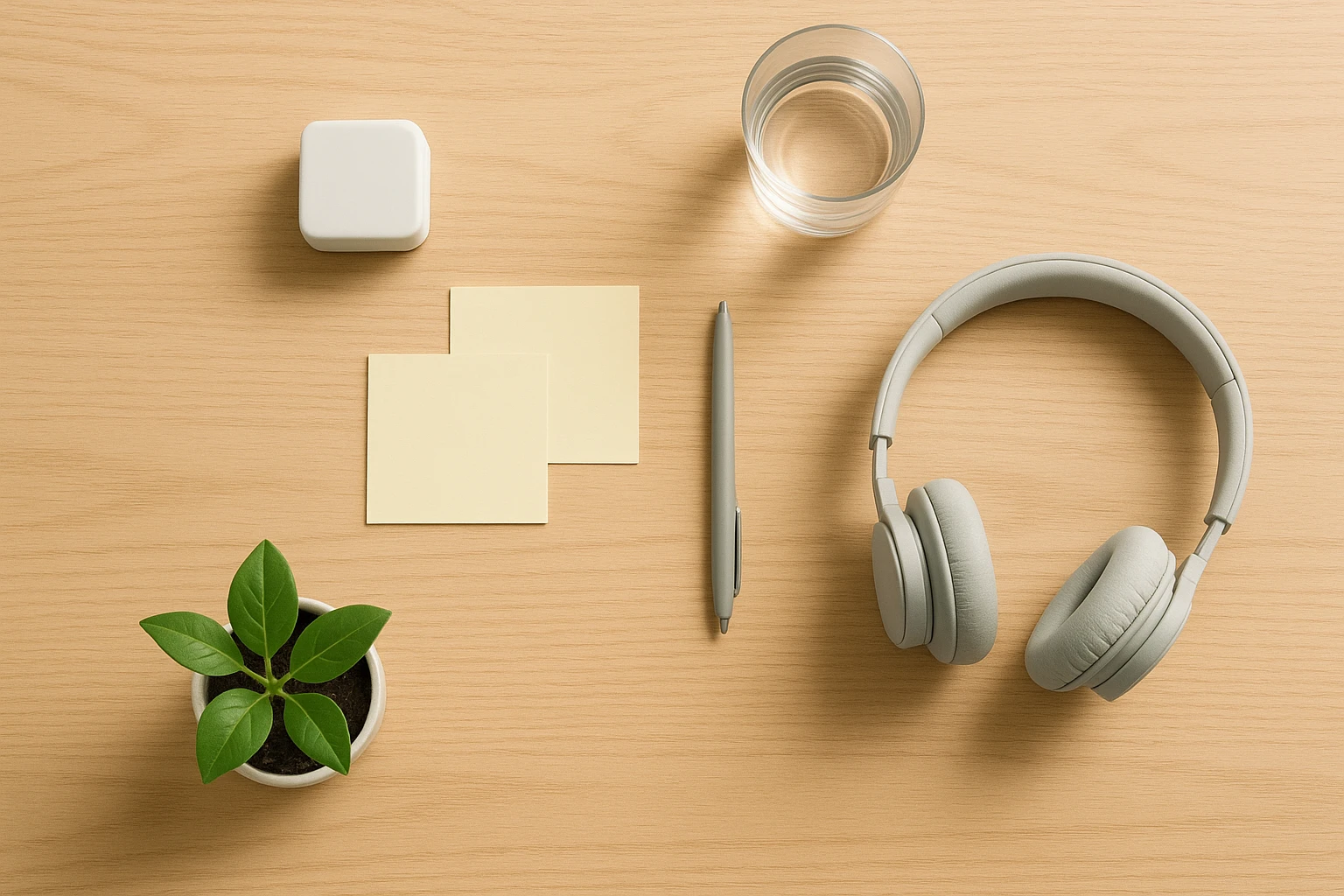
- Write the very first step in one sentence (e.g., “Write three headings on sticky notes.”)
-
Operational tips: In the morning, slightly longer blocks; in the afternoon, shorter and multiple blocks. Cut at that day’s natural breakpoints (re‑reading, decision latency, repeated errors).
For details, see Is a “break every 90 minutes” really effective?.
Putting your very first step into words before you start lets you answer instantly “how far did I get?” and “what’s next?” when a breakpoint arrives. Decide by both ratio and breakpoint, and you can adjust with the same template even before overtime or on days with only short windows.
Work time is also shaped by task nature. Important items that are uncertain and time‑consuming deliver power when you secure a chunk of continuous time. Conversely, small admin tasks finish faster overall if grouped into shorter blocks. Judge “when to start” by three axes—uncertainty, length, and importance—and define the first five minutes of action in one sentence before you begin. That lets you optimize mental resources before diving in.
Step 2: Designing Pauses (Microbreaks)

-
Decision criteria:
① Two or more signs / ② Can’t state the “task purpose” / ③ Repeated errors (e.g., typing errors) -
One‑sentence check (examples):
- Can you state the task purpose in one sentence?
- Try a brief relaxation (e.g., shift your gaze far away for 40 seconds + roll your shoulder blades/shoulders + three deep breaths).
- Can you glide in for two minutes with the smallest task? → If not, rest.
-
Recommended break range: 90 seconds–5 minutes (variable by purpose)
- Sustaining learning: about 90 seconds every 10 minutes
- Mood/energy recovery: walk for 3 minutes after 30 minutes of continuous work
See Designing and Differentiating Microbreaks for details.
Before resting, leave a return memo (a one‑sentence note of what you’ll do when you’re back), then step away only for the set time.
The time spent wavering—“Should I break now or keep going?”—is itself a focus loss.
With decision criteria, “can’t state the task purpose = the moment hesitation arises,” and you can judge that it’s a cue to rest. If brief relaxation works, you can often maintain focus as is, so start by calmly judging your own fatigue level.
What you do during a pause depends on your purpose. If your goal is to recover from fatigue or to regain vitality, short walks or stretches are suitable; on days with heavy visual load, breaks that change viewing distance are better. If you’re stuck on a hard problem, block out stimulus for a while, quiet the noise in your head with still breathing and distant gaze, then return—you’ll feel a different texture when re‑starting.
Step 3: Designing Incubation
- Procedure template:
- Memo recall — Say out loud the most recent “purpose & next step.”
- Reset — Three breaths + stretch shoulders/back + 20‑second gaze reset
- 2‑minute re‑entry — Do only the smallest task for two minutes
See the Incubation Effect Practical Guide for details.
Fixing the task‑return steps in advance prevents your judgment from wobbling even after sudden interruptions. By deciding the smallest task first, you erase the fear of “not being able to jump straight into the main work upon return,” which in turn makes you choose breaks without hesitation.
Incubation spontaneously creates a “margin for ideas” while you’re away. But if your return method isn’t tuned, the effect is weak. That’s why you narrow the focus to a single point with a return memo, quiet evaluative thinking with breathing, and warm the context back up with two minutes of light work. These three beats connect the seed of an idea back to the main track.
Common Sticking Points and How to Switch
For three scenes where hesitation is common—creative tasks, routine/verification tasks, and interruption‑heavy days—we present a shared decision frame boiled down to minimum steps. There’s only one principle:
Follow “three‑layer signs → one‑sentence check → re‑entry protocol” to measure small and switch small.
Shared Decision Frame
-
Three‑layer signs:
Layer 1 (body & environment) = posture fixed / gaze drifting / yawning & dry eyes / temperature & noise.
Layer 2 (quality of cognition) = re‑reading / decision latency / repeated typing errors.
Layer 3 (drift from purpose) = SNS drifting / search detours / losing your purpose sentence. Tune up early; if you reach the end layer, pause. -
One‑sentence check (trigger to pause):
- Can you state the task purpose in one sentence?
- Do you recover with 30–60 seconds of relaxation (distant gaze + roll shoulder blades + three deep breaths)?
- Can you slide in for two minutes on the smallest task? → If any answer is “no,” pause.
-
Re‑entry protocol (the return template):
Memo recall (say the purpose / next step out loud) → 30–60 seconds of tuning (breathing, stretching, gaze reset) → 2‑minute re‑entry (do only the smallest task for two minutes). -
Error threshold (initial example):
“Three or more corrections within three minutes” or “five or more typing corrections per 1,000 characters.” If exceeded, stop without hesitation → externalize the procedure (checklists, peer check).
Scenario A (Creative Work): No ideas / narrowing field of view
Signs: repeating the same steps / associations stuck in one direction / judgment getting rough.
Switch: Introduce low‑stimulus detachment in stages. Start with 30–120 seconds of quiet rest (close your eyes, look at distant greenery, take a few steps in place). Avoid high‑stimulus inputs like SNS/news. If that fails, extend to 2–10 minutes to walk slowly, wash your hands, hydrate. Only extend to 10–30 minutes when you judge that you need to revisit the frame (question/constraints).
Return: Use the re‑entry protocol, and write “just one heading” = 2‑minute re‑entry. Then resume the back‑and‑forth of expand → choose. Simply leaving and returning re‑arranges your associations. If it drags on, re‑compose evaluation criteria / constraints / goal granularity from a layer up.
Reference: Incubation
Scenario B (Routine/Verification): Repeated errors before 90 minutes / decisions slowing
Signs: repeated typing errors / bouncing between the same cell/line / missed checks.
Switch: Do the one‑sentence check → about 90 seconds of pause to reset. During the pause, insert 20‑20‑20 (every 20 minutes, look about 6 m away for 20 seconds) as a countermeasure to visual load. If you cross your error threshold, stop without hesitation, externalize the procedure (turn it into a checklist, make sampling criteria explicit, add a peer check) → re‑entry protocol.
Range: If 90 seconds isn’t enough, extend to 3–5 minutes and add standing + light bodyweight movements (shoulders, hips). If that still doesn’t help, revisit process design (reduce batch size, enforce WIP limits, insert a double‑check).
Reference: Microbreaks
Scenario C (Interruption‑Heavy Days): Slow to merge back in / go off on tangents each time
Before the interruption: Leave a return memo in one sentence (purpose / next step / cursor position or reference URLs).
After the interruption: Use the three steps of the re‑entry protocol to return to the main line (memo recall → 30–60 seconds of tuning → 2‑minute re‑entry). Switch to multiple shorter blocks to minimize re‑entry friction.
Operations: Tilt toward short & frequent to match morning/afternoon fluctuations; batch notifications by time slot; keep a re‑entry kit (timer, sticky notes & pen, a nature image or a spot by the window, water) in your line of sight.
Reference: Handling the “90‑Minute Myth”
In any situation, first size up where you are by your own signs, then make a small switch following the decision template. Leaving a focused state and coming back changes your ideas—that’s incubation.
Small Rules You Can Try Today
- The following is a “minimal set” checklist you can apply immediately. Use it alongside the scenarios above in your morning plan and end‑of‑day review.
- A one‑line log of state / decision / action
- Declare today’s operating mode (e.g., “creative × short, frequent pauses”)
- Fix the one‑sentence check as a trigger
- Keep a re‑entry kit on your desk
Start with the one‑line log. It doesn’t have to be perfect. “Heavy → rest → return memo” is enough. Continue for two weeks and you’ll see patterns in your own breakpoints and what makes returning easier. Once you see them, carve the rules into your environment a little. Keep the re‑entry kit on your desk and say your operating mode out loud first thing in the morning. That alone will reduce the number of times you hesitate.
Summary
The trick to designing focus time well is to observe the signs, decide, and commit straight through to action. In work time, set “how far you’ll go,” when in doubt use the signs and one‑sentence check to gauge lightly, and after a pause, glide back in with the re‑entry protocol.
Starting today, add the rule “write the very first step and a return memo before you begin.” Even just reviewing the day’s re‑entry lag and how easy the breaks were to keep will reveal adjustment points for tomorrow.
The metrics in the next section exist to support that review with numbers. You don’t need to fill them all in—adopt the ones that matter to you.
Once you internalize the decision template, it works even when your place or tools change. That’s why you should boil it down into a method you can run small and reliably, and keep it up for just two weeks. What changes isn’t only the numbers, but the feel of your work’s “returnability.”
Frequently Asked Questions
Q. Should I prioritize “signs” over fixed 25‑minute intervals for focusing? How do I decide the first step?
A. Fixed minutes are a “reference,” not the answer. The premise is ratio (allocate 20–25% of work time to pauses) × observing natural breakpoints. Before starting, define the purpose and the “very first step” in one sentence each, and cut when signs like re‑reading, decision latency, or repeated errors appear. If the flow is good, it’s fine to go past 90 minutes; if your focus breaks at 60, stop without hesitation—operate by signs, not minutes.
Q. Are shorter breaks always better? How long should I step away?
A. “Shorter is always better” is false. The principle is variable by purpose. Start by tuning with 30–120 seconds; if that fails, extend to 2–10 minutes. Consider 10–30 minutes only when you need to revisit the frame (question/constraints). Always leave a return memo (a one‑sentence note of what you’ll do when you’re back) before you step away. The Flowtime Technique automatically calculates 20% break time, so we recommend it.
Q. What’s an “instant‑decision trigger” to avoid wavering about when to rest?
A. Use the one‑sentence check. ① Can you state the purpose? ② Do you recover with 30–60 seconds of relaxation (distant gaze + shoulder blade rolls + three deep breaths)? ③ Can you start the smallest task for just two minutes? If any answer is “no,” pause. Time spent wavering is itself a focus loss.
Q. How do I keep incubation (creative detachment) from turning into “slacking”? What should I do during the break?
A. Keep it low‑stimulus, low‑load. Close your eyes / look at distant greenery / walk slowly / wash your hands & hydrate are all good. SNS/news tend to make re‑entry heavier, so avoid them. When you return, use the re‑entry protocol (memo recall → 30–60 seconds of tuning → 2‑minute re‑entry) and start with a micro‑task like “just one heading.”
Q. How should I structure days with lots of interruptions from others?
A. Leave a return memo beforehand (purpose / next step / cursor position & reference URLs), and use the re‑entry protocol to get back on the main line. Use multiple shorter blocks, batch notifications by time, and keep a re‑entry kit (timer; sticky notes/pen; a nature image or seat by the window; water) on your desk to minimize friction.
Q. When repeated errors occur, when should I stop, and what then?
A. Set an error threshold beforehand and stop immediately when you exceed it. A reasonable initial setting is “three or more errors within three minutes” or “five or more typing corrections per 1,000 characters.” Once you stop, externalize the procedure—turn it into a checklist, spell out sampling criteria, add a peer check—and try a short pause of 90 seconds → 3–5 minutes to reset vision and posture.
Q. How should I care for eye strain? Should I use 20‑20‑20?
A. 20‑20‑20 (every 20 minutes, look about 6 m away for 20 seconds) is effective for reducing subjective symptoms. It isn’t a cure‑all, so insert short off‑screen moments frequently, improve posture and blinking / add standing or walking, and combine these. The goals are distributing visual load and re‑booting focus.
Q. How do I combine this with Pomodoro and other methods?
A. If you want to manage by time frames, Pomodoro is recommended. We offer a free app, so try it.
Follow schedules for others’ appointments; for your own focus time, block it on your calendar in advance with time blocking.
Q. How much logging is enough?
A. A single minimal line is enough (start/end, state layer, reason you stopped, return memo, re‑entry lag in seconds, next step, etc.).
Q. I’m busy—I can’t do it all. How long until I see results?
A. You can run it with just “one‑sentence check → one‑sentence memo → re‑entry protocol.” Continue for two weeks and you’ll see your map of breakpoints (lengths, times of day, environmental factors), then you can micro‑tune your 20–25% ratio and block length to fit you.